> ## Documentation Index
> Fetch the complete documentation index at: https://docs.sapt.ai/llms.txt
> Use this file to discover all available pages before exploring further.
# Connect TikTok
> Connect the TikTok account you post from to publish and schedule videos and photo posts from Sapt, see views and followers, and answer comments.
Connect the TikTok account you post from, and Sapt can publish to it and show how each post does.
This page is about posting. To see what you spend on TikTok ads, connect [TikTok Ads](/docs/mintlify/integrations/tiktok-ads).
## What you get
* **Posts.** Publish and schedule public videos and photo posts, with a sound you choose.
* **Numbers.** Followers, views and engagement, per post and per day.
* **Comments.** Read and reply to comments on your posts.
## Before you start
* The login for the TikTok account you post from.
## Connect TikTok
In Sapt on the web, open **Project Settings**, then **Connected apps**. Under **Marketing**, find **TikTok** and click **Connect**.
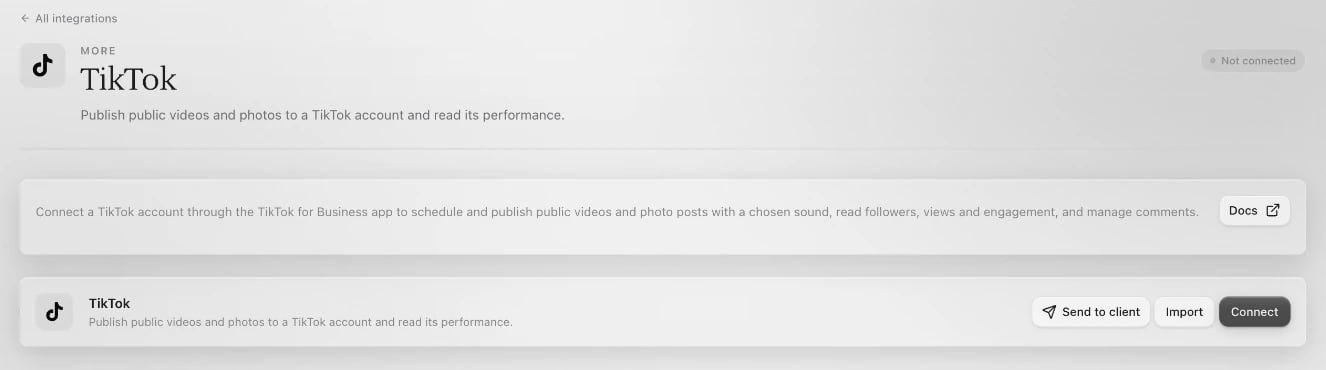 Click **Connect** on the TikTok page. TikTok opens in a new window. Sign in to the account you post from and approve what Sapt asks for.
If no window opens, allow pop-ups for app.sapt.ai and click **Connect** again.
Back in Sapt, the account is listed under **Connected accounts**. To add another TikTok account, click **Add account**.
You can also connect from **Performance**: open **Social**, then **Connected accounts**, and click **Connect with TikTok** on the **TikTok** card.
## What Sapt does and does not do
* Sapt posts only what you or your team publish or schedule. Posts go out as public posts.
* Sapt does not read or send TikTok direct messages.
* TikTok comments stay with each post in Sapt. They do not show up in the Inbox.
## Disconnect
On the TikTok page in Sapt, open the **...** menu and click **Disconnect all**. Sapt stops posting to and reading every TikTok account you connected there.
## Keep going
This documentation is built and hosted on [Mintlify](https://mintlify.com), a developer documentation platform.
Click **Connect** on the TikTok page. TikTok opens in a new window. Sign in to the account you post from and approve what Sapt asks for.
If no window opens, allow pop-ups for app.sapt.ai and click **Connect** again.
Back in Sapt, the account is listed under **Connected accounts**. To add another TikTok account, click **Add account**.
You can also connect from **Performance**: open **Social**, then **Connected accounts**, and click **Connect with TikTok** on the **TikTok** card.
## What Sapt does and does not do
* Sapt posts only what you or your team publish or schedule. Posts go out as public posts.
* Sapt does not read or send TikTok direct messages.
* TikTok comments stay with each post in Sapt. They do not show up in the Inbox.
## Disconnect
On the TikTok page in Sapt, open the **...** menu and click **Disconnect all**. Sapt stops posting to and reading every TikTok account you connected there.
## Keep going
This documentation is built and hosted on [Mintlify](https://mintlify.com), a developer documentation platform.