> ## Documentation Index
> Fetch the complete documentation index at: https://docs.sapt.ai/llms.txt
> Use this file to discover all available pages before exploring further.
# Find your way around Sapt
> A short tour of Sapt, from the web app's sidebar to the five tabs of the phone app, so you always know where to go next.
Sapt has two views of the same shop: the web app at app.sapt.ai and the phone app at dash.sapt.ai. Here is where things live in each.
What you see depends on your role. An admin can hide parts of Sapt for a role, so if something on this page is missing, ask whoever runs Sapt for your shop.
## On the web
Sign in at [app.sapt.ai](https://app.sapt.ai). Your shop opens on **Performance**.
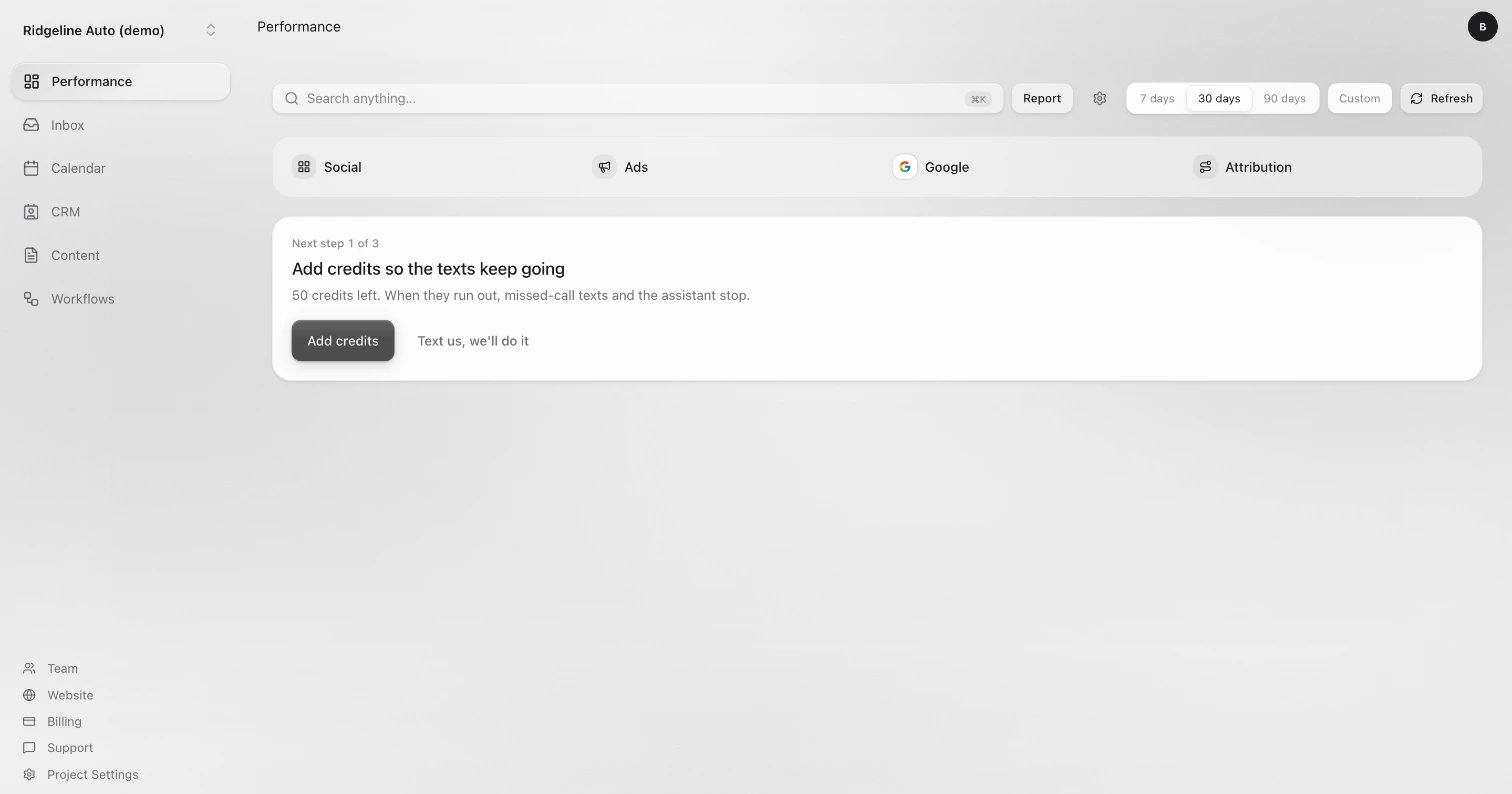 The sidebar on the left takes you everywhere. Your shop's name sits at the top of it. If you run more than one shop, click the name to switch.
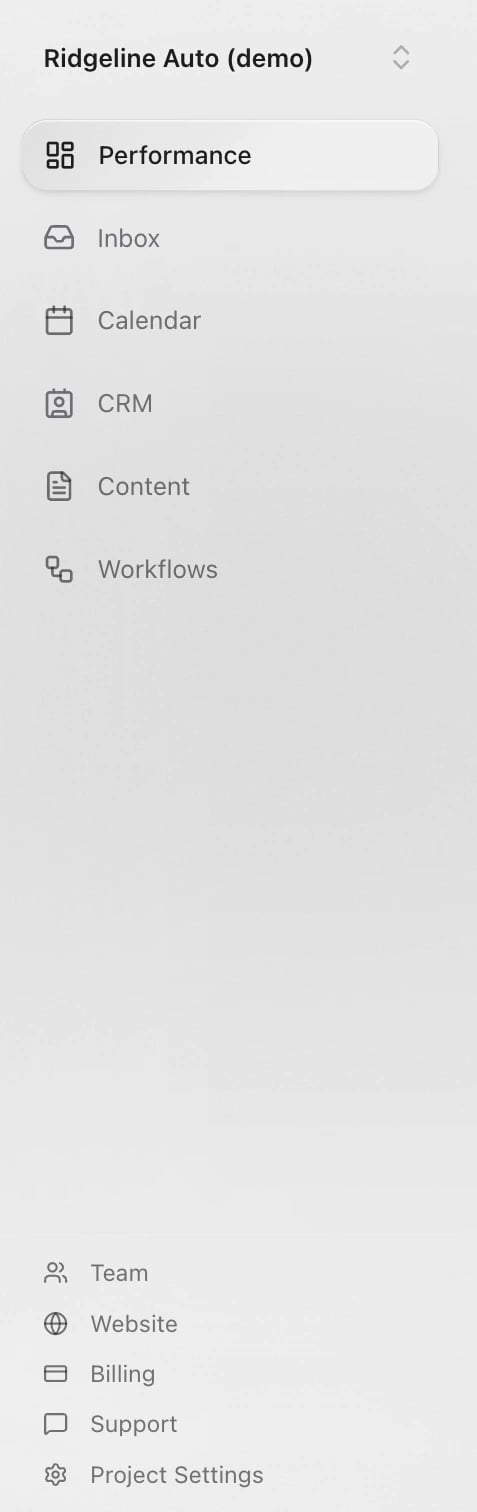 * **Performance**: your home page. See what needs you, your calls and texts, and where your leads came from. **Social**, **Ads**, **Google** and **Attribution** open from here.
* **Inbox**: every conversation with your customers, from texts and calls to email, website forms and social messages.
* **Calendar**: your appointments and tasks. **Availability** sets your hours and booking rules.
* **CRM**: your customers, under **People**, and the other records your shop keeps.
* **Content**: what your website shows, like services and articles, plus **Files & photos** and **Brand**.
* **Workflows**: automations that run on their own, like texting back a missed call. Your AI front desk is under **Agents**.
* **Team**: add teammates and choose what they can do.
* **Website**: preview your site, change it and publish it.
* **Billing**: your plan and credits.
* **Support**: message the Sapt team.
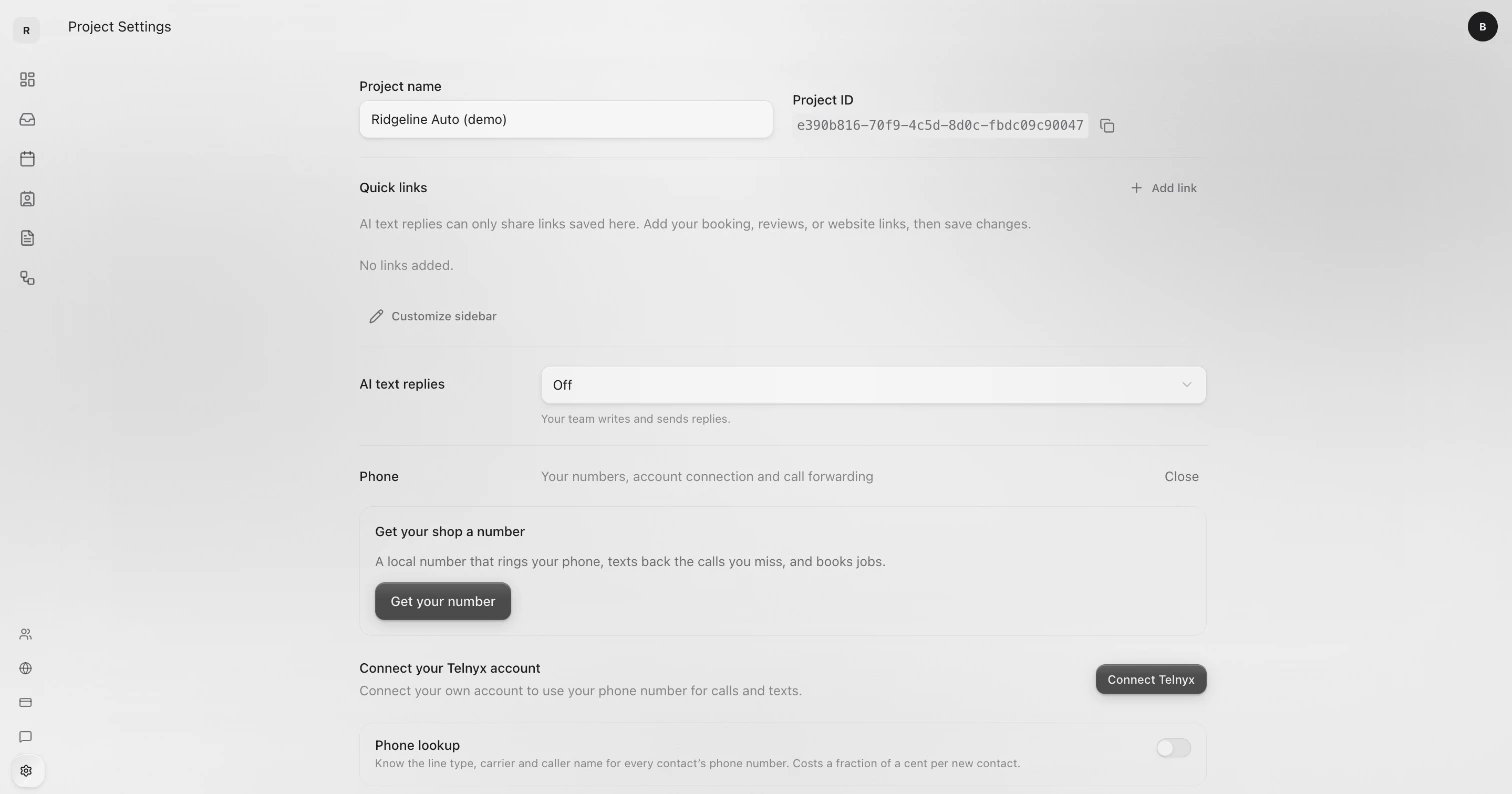
* **Project Settings**: your shop's name, **Quick links**, **AI text replies**, **Phone**, **Domains**, **Connected apps**, **AI knowledge** and **Permissions**.
Project Settings opens with your shop's name, **Quick links**, **AI text replies** and **Phone**. Your integrations are further down, under **Connected apps**.
* **Performance**: your home page. See what needs you, your calls and texts, and where your leads came from. **Social**, **Ads**, **Google** and **Attribution** open from here.
* **Inbox**: every conversation with your customers, from texts and calls to email, website forms and social messages.
* **Calendar**: your appointments and tasks. **Availability** sets your hours and booking rules.
* **CRM**: your customers, under **People**, and the other records your shop keeps.
* **Content**: what your website shows, like services and articles, plus **Files & photos** and **Brand**.
* **Workflows**: automations that run on their own, like texting back a missed call. Your AI front desk is under **Agents**.
* **Team**: add teammates and choose what they can do.
* **Website**: preview your site, change it and publish it.
* **Billing**: your plan and credits.
* **Support**: message the Sapt team.
* **Project Settings**: your shop's name, **Quick links**, **AI text replies**, **Phone**, **Domains**, **Connected apps**, **AI knowledge** and **Permissions**.
Project Settings opens with your shop's name, **Quick links**, **AI text replies** and **Phone**. Your integrations are further down, under **Connected apps**.
 A few more things worth knowing:
* A number beside **Performance** or **Inbox** means something is waiting for you.
* Your sidebar may show extra links between the two groups. An admin adds them from **Project Settings** with **Customize sidebar**.
* The circle with your initials, top right, opens **Account**, **Billing** and **Log out**.
* On a small screen, the sidebar opens from the button at the top left.
## On your phone
Open [dash.sapt.ai](https://dash.sapt.ai). Five tabs run along the bottom: **Today**, **Inbox**, **Calendar**, **Growth** and **Shop**. On a computer, the same tabs sit down the left side.
A few more things worth knowing:
* A number beside **Performance** or **Inbox** means something is waiting for you.
* Your sidebar may show extra links between the two groups. An admin adds them from **Project Settings** with **Customize sidebar**.
* The circle with your initials, top right, opens **Account**, **Billing** and **Log out**.
* On a small screen, the sidebar opens from the button at the top left.
## On your phone
Open [dash.sapt.ai](https://dash.sapt.ai). Five tabs run along the bottom: **Today**, **Inbox**, **Calendar**, **Growth** and **Shop**. On a computer, the same tabs sit down the left side.
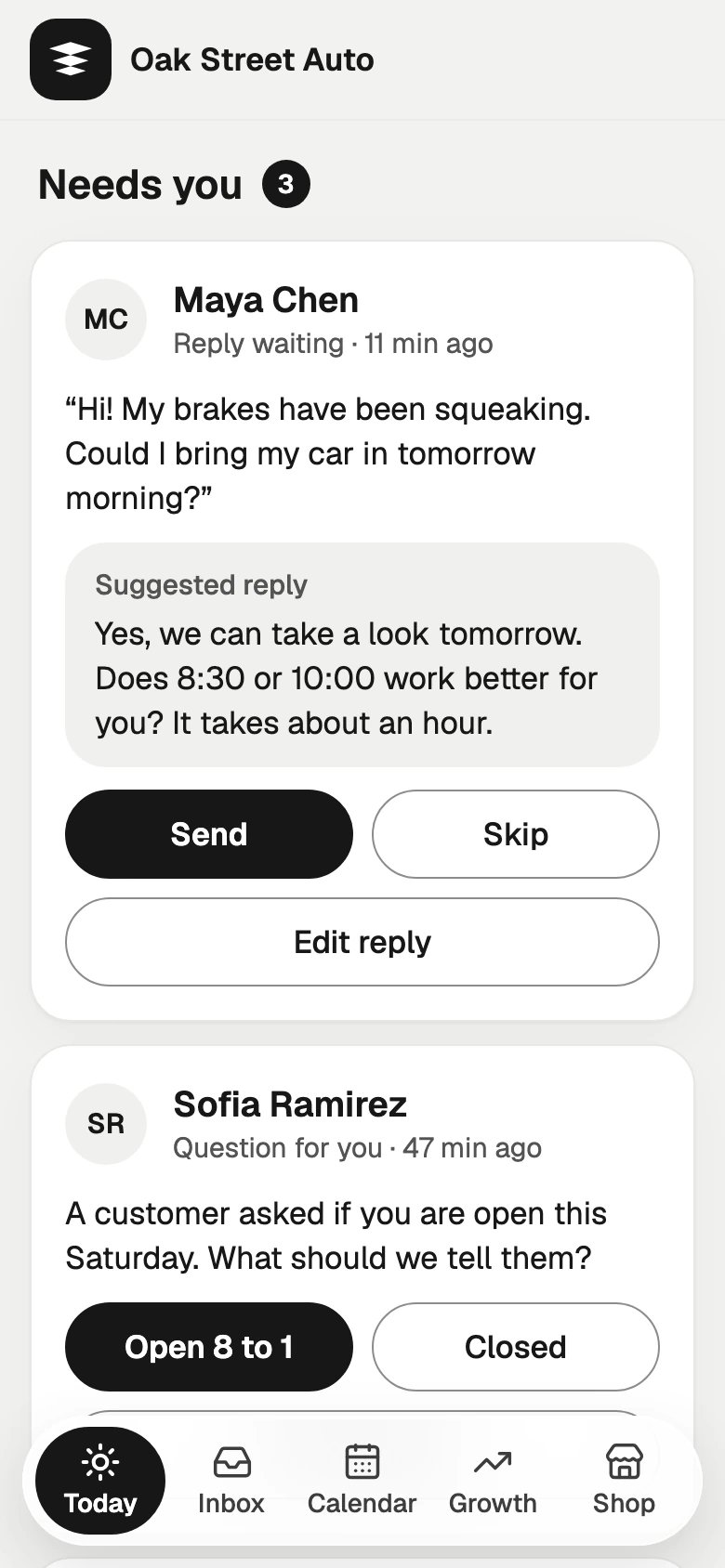 * **Today**: what needs you now. Customers waiting on you (**Needs you**), **Missed calls** to return, **Did they come in?** for appointments that have passed, then **This week** and **Today’s calendar**.
* **Inbox**: every conversation. **Needs reply**, **All** and **Replied** sort them. Tap **+** at the top to text a customer.
* **Calendar**: your bookings. Tap **Book** to book a customer. Website requests wait here for your OK.
* **Growth**: how new customers find you: **Reviews**, **Ads**, your **Google profile** and your **Website**.
* **Shop**: your shop's settings, below.
### The Shop tab
* **Today**: what needs you now. Customers waiting on you (**Needs you**), **Missed calls** to return, **Did they come in?** for appointments that have passed, then **This week** and **Today’s calendar**.
* **Inbox**: every conversation. **Needs reply**, **All** and **Replied** sort them. Tap **+** at the top to text a customer.
* **Calendar**: your bookings. Tap **Book** to book a customer. Website requests wait here for your OK.
* **Growth**: how new customers find you: **Reviews**, **Ads**, your **Google profile** and your **Website**.
* **Shop**: your shop's settings, below.
### The Shop tab
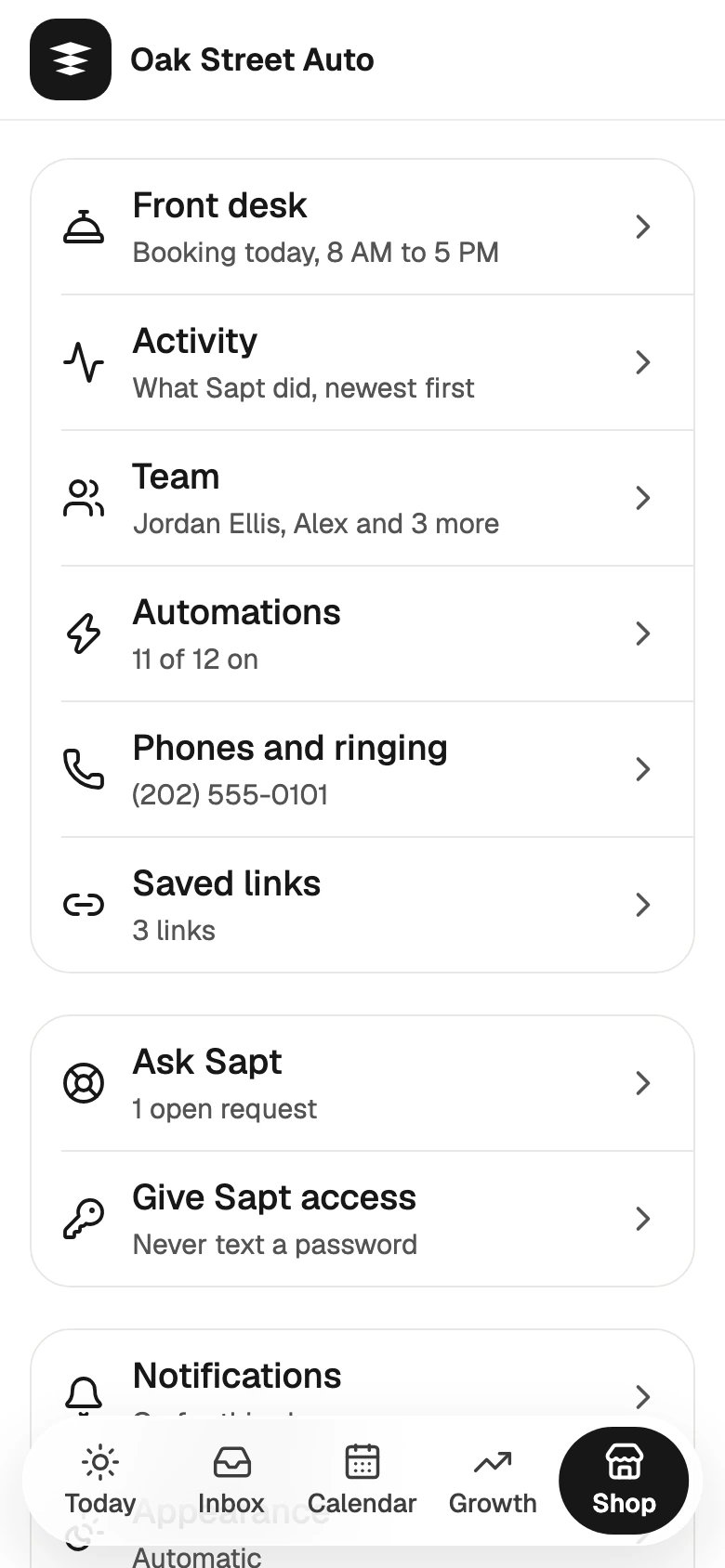 * **Front desk**: hours and booking rules, AI text replies, what the AI knows, calls and voicemail, and your Google hours.
* **Activity**: what Sapt did, newest first.
* **Team**: invite a teammate.
* **Automations**: turn automations on or off, or start a new one.
* **Phones and ringing**: your shop line, who it rings, a test call and forwarding your main line.
* **Saved links**: links you send customers again and again, like your booking or review link. They show up when you write a message.
* **Billing**: your plan, credits and card. Only people who manage billing see it.
* **Ask Sapt**: send the Sapt team a request and see where it stands.
* **Give Sapt access**: share a login with the Sapt team safely, so you never text a password.
* **Notifications**: choose what alerts you.
* **Appearance**: **Automatic**, **Light** or **Dark**.
* **Profile and account**: your name, **Sign out** and **Delete account**.
## Keep going
Sign in at dash.sapt.ai and add it to your Home Screen.
How a missed call or a website request turns into a booked job.
Connect Google, your shop system and the other apps you use.
This documentation is built and hosted on [Mintlify](https://mintlify.com), a developer documentation platform.
* **Front desk**: hours and booking rules, AI text replies, what the AI knows, calls and voicemail, and your Google hours.
* **Activity**: what Sapt did, newest first.
* **Team**: invite a teammate.
* **Automations**: turn automations on or off, or start a new one.
* **Phones and ringing**: your shop line, who it rings, a test call and forwarding your main line.
* **Saved links**: links you send customers again and again, like your booking or review link. They show up when you write a message.
* **Billing**: your plan, credits and card. Only people who manage billing see it.
* **Ask Sapt**: send the Sapt team a request and see where it stands.
* **Give Sapt access**: share a login with the Sapt team safely, so you never text a password.
* **Notifications**: choose what alerts you.
* **Appearance**: **Automatic**, **Light** or **Dark**.
* **Profile and account**: your name, **Sign out** and **Delete account**.
## Keep going
Sign in at dash.sapt.ai and add it to your Home Screen.
How a missed call or a website request turns into a booked job.
Connect Google, your shop system and the other apps you use.
This documentation is built and hosted on [Mintlify](https://mintlify.com), a developer documentation platform.