

What you get
- Your scheduled Calendly events on your Sapt Calendar.
- The Check for booking workflow step: it checks whether a lead booked, so the workflow can treat people who booked differently.
Before you start
- A Calendly account. Reading events through Calendly’s API works on any Calendly plan. Calendly’s API overview.
Connect Calendly
1
Make a token in Calendly
Log in to Calendly and open the Integrations page. Choose API & Webhooks. Click Get a token now, or Generate new token if you have made one before. Name it “Sapt”. Calendly’s steps.
2
Give the token two scopes
When Calendly asks which scopes the token gets, choose
users:read and scheduled_events:read. Without both, no events load. Click Create Token, then Copy token. Calendly shows it only once.3
Open Calendly in Sapt
In Sapt on the web, open Project Settings, then Connected apps. Under Other, find Calendly and click Connect.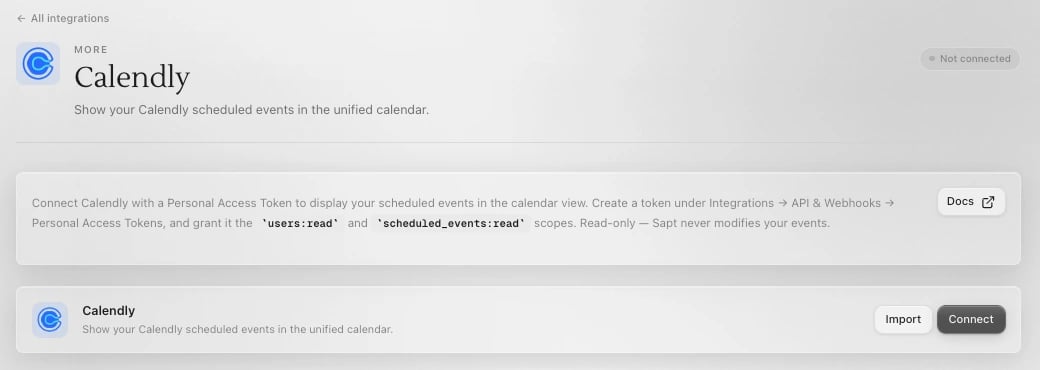
4
Paste the token
Click Connect on the Calendly page. Paste the token into Personal Access Token and click Connect.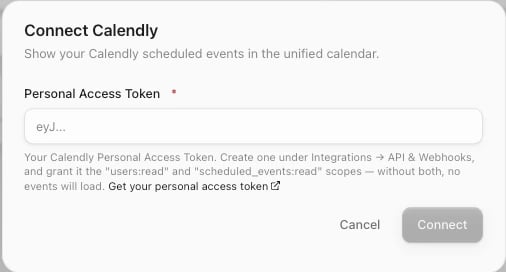
5
Check your calendar
Open Calendar in Sapt. Your upcoming Calendly events are there.