

This page is about posting. To see what you spend on TikTok ads, connect TikTok Ads.
What you get
- Posts. Publish and schedule public videos and photo posts, with a sound you choose.
- Numbers. Followers, views and engagement, per post and per day.
- Comments. Read and reply to comments on your posts.
Before you start
- The login for the TikTok account you post from.
Connect TikTok
1
Open TikTok in Sapt
In Sapt on the web, open Project Settings, then Connected apps. Under Marketing, find TikTok and click Connect.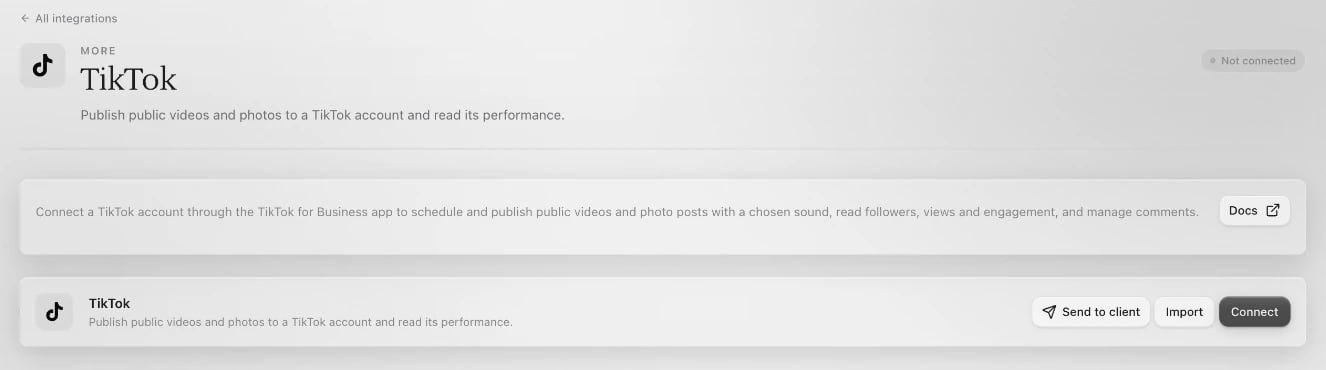
2
Sign in to TikTok
Click Connect on the TikTok page. TikTok opens in a new window. Sign in to the account you post from and approve what Sapt asks for.If no window opens, allow pop-ups for app.sapt.ai and click Connect again.
3
Check the account
Back in Sapt, the account is listed under Connected accounts. To add another TikTok account, click Add account.
What Sapt does and does not do
- Sapt posts only what you or your team publish or schedule. Posts go out as public posts.
- Sapt does not read or send TikTok direct messages.
- TikTok comments stay with each post in Sapt. They do not show up in the Inbox.