

What you get
- Each new, updated or paid order saved as an order on the buyer’s contact. New buyers are added to your contacts and tagged Customer.
- Shipping updates added to the order when Shopify sends fulfillment events.
- Workflows that start on any Shopify webhook, with the Webhook received trigger.
- The Manage a Shopify order workflow step, which can create, update and complete draft orders in your store.
Before you start
- A custom app made in your Shopify admin before January 1, 2026, installed on your store, and its Admin API access token. It starts with
shpat_. Shopify lets you reveal the token only once. - Your store’s
myshopify.comaddress. Shopify lists it on the Domains page in your settings.
Connect Shopify
1
Open Shopify in Sapt
In Sapt, open Project Settings and then Connected apps. Find Shopify under Money and click Connect.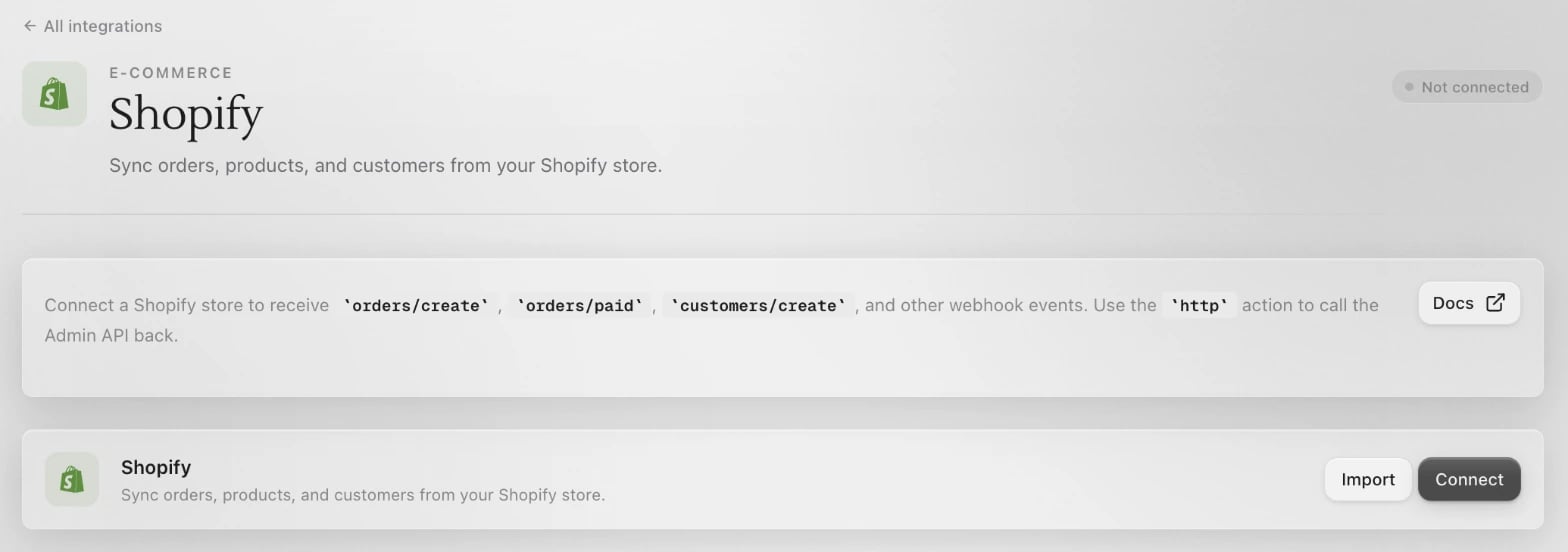
2
Copy the webhook address
Click Connect on the Shopify page. At the bottom of the Connect Shopify box, under Webhook URL (for Shopify’s dashboard), copy the address.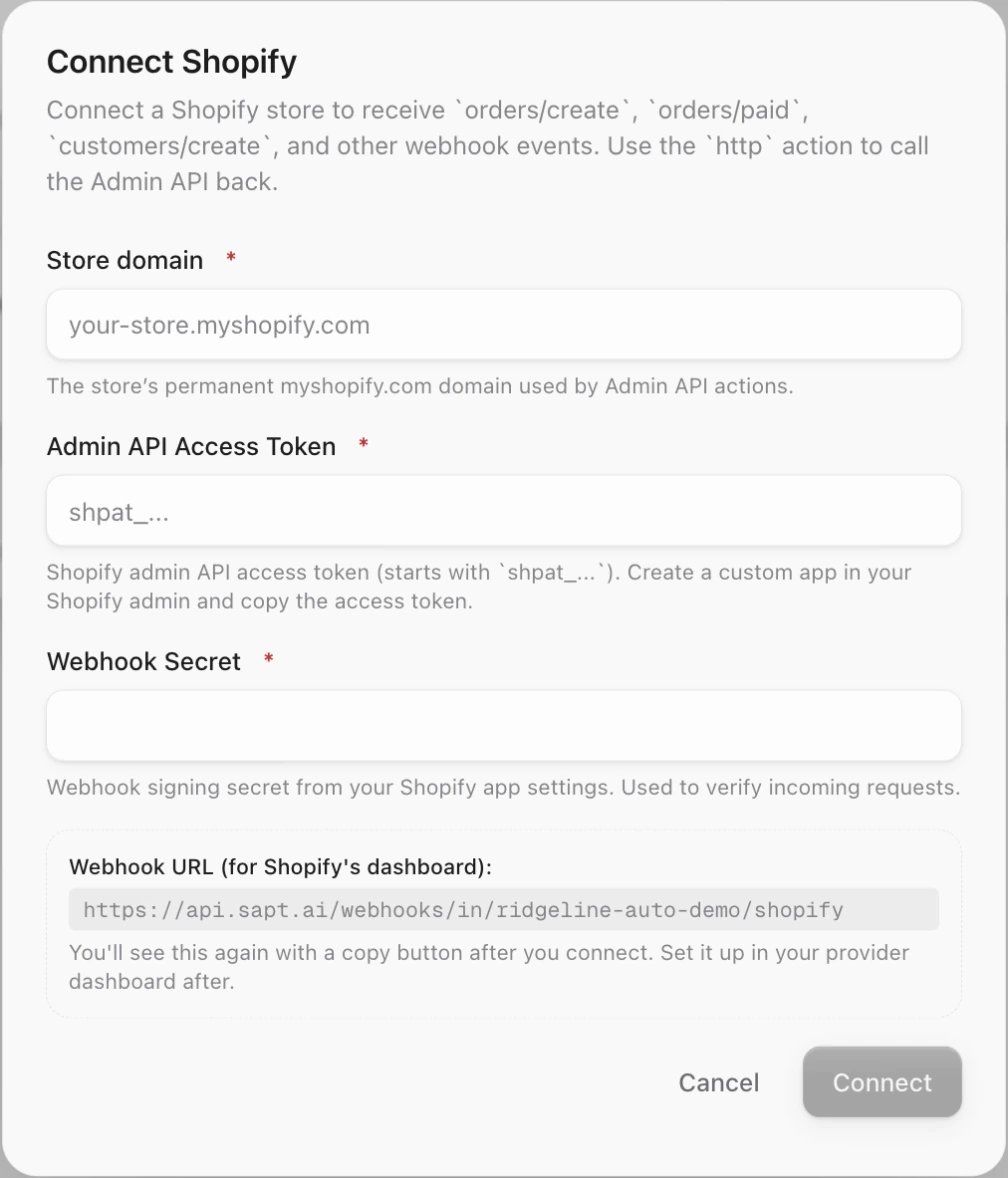
3
Add the webhooks in Shopify
In your Shopify admin, go to Settings > Notifications and click Webhooks. Then:
- Click Create webhook.
- For Event, choose Order creation.
- For Format, choose JSON.
- Paste the Sapt address into URL.
- Pick a Webhook API version and click Save.
4
Copy the signing key
Shopify signs these webhooks with a key that is unique to your store. Copy the key Shopify shows with your webhooks.
5
Find your Admin API access token
Use the token you saved when you first revealed it. Your custom app is under Settings > Apps > Develop apps in your Shopify admin.If you lost the token, Shopify’s fix is to uninstall and reinstall the app, which also removes that app’s webhooks. Shopify explains this in its custom app guide.
6
Paste all three into Sapt
In the Connect Shopify box, fill in:
- Store domain, like
ridgeline-auto.myshopify.com - Admin API Access Token
- Webhook Secret, the signing key from Shopify
What Sapt does and does not do
- Sapt sees orders from the moment your webhooks are on. It does not bring in older orders.
- Connecting does not make the webhooks in Shopify. You add them yourself.
- Sapt adds a contact for each buyer in your order webhooks. It does not copy your whole customer list.
- Sapt uses your access token only in workflow steps you add, like Manage a Shopify order. It never changes your store on its own.
Disconnect
On the Shopify page in Sapt, open the … menu on the Shopify card and choose Disconnect. Then delete the Sapt webhooks in Shopify under Settings > Notifications > Webhooks.Keep going
Contacts
See each buyer’s orders on their contact.
Workflows
Start a workflow when an order comes in.
All integrations
See what else you can connect.